

To use video feedback in an endless pool, position your camera to capture your full body while you swim. Record multiple sessions for a thorough analysis of your strokes, focusing on entry points, hip rotation, and breathing rhythm. Review the footage to spot technique adjustments and track your progress over time. Share your videos with coaches or fellow swimmers for valuable insights. If you’re curious about enhancing your learning process further, there’s more to explore.

Get pool and patio gear delivered free with Prime
- Fast, free delivery on millions of items
- Prime Video, Amazon Music and more included
- Member-only deals all year
Key Takeaways
- Position the camera to capture your entire body while swimming in the Endless Pool for effective analysis.
- Record multiple swim sessions to gather diverse footage for comprehensive review and technique assessment.
- Focus on key areas like stroke entry, hip rotation, and breathing rhythm to identify improvement opportunities.
- Compare videos over time to track progress and pinpoint persistent technique issues that need attention.
- Share your recordings with coaches or peers for valuable feedback and collaborative improvement strategies.
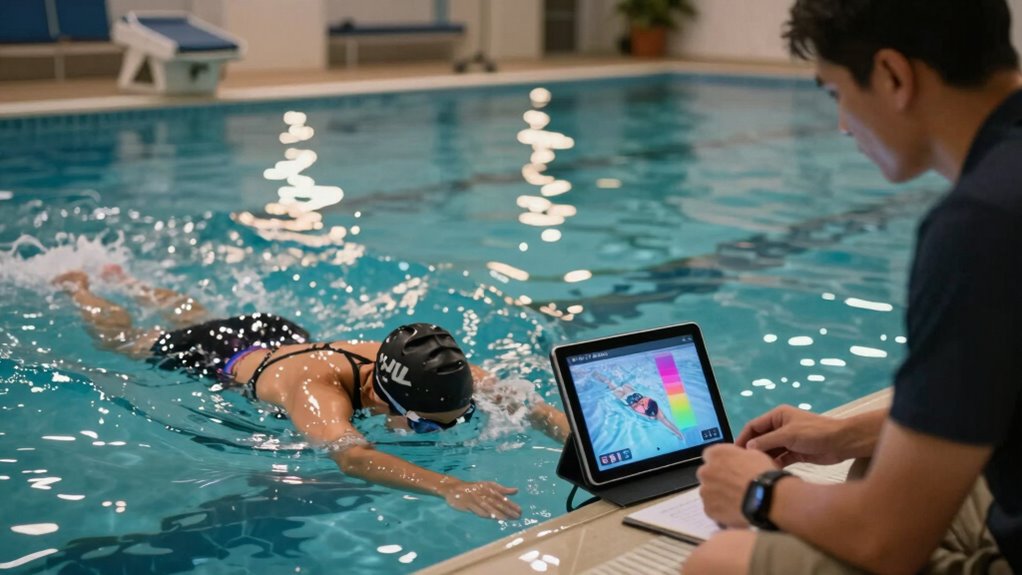
When you want to elevate your swimming technique, using video feedback in an Endless Pool can make a significant difference. This innovative approach allows you to analyze your strokes in real-time, providing invaluable insights that can drive your technique improvement. With the pool’s adjustable current and clear viewing options, you get to see exactly what’s happening as you swim.
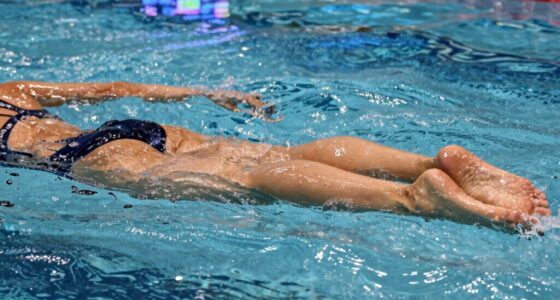
To get started, set up a camera in a position that captures your entire body as you swim. A smartphone or a dedicated camera works just fine; just make sure it’s stable and aimed correctly. When you start swimming, the video analysis will allow you to watch yourself in action. You’ll notice details you might miss during your swim, like your arm placement, body alignment, and kick.
Once you’ve recorded a session, review the footage closely. Focus on specific aspects of your stroke, such as your entry and exit points, the rotation of your hips, and the rhythm of your breathing. This is where you’ll see the most significant potential for technique improvement. If you notice your arms are crossing over too much or you’re not maintaining a streamlined position, these are key areas to address.
You can also compare your videos over time. This way, you can track your progress and see how your adjustments are impacting your performance. Each session gives you a chance to refine your technique further. Make small adjustments based on what you observe in the video. For instance, if your kick seems too wide, focus on tightening it up during your next swim.
Sharing your videos with a coach or fellow swimmer can also enhance your learning experience. They might spot things you haven’t noticed or provide additional tips for improvement. The combination of your own insights and external feedback can accelerate your journey toward better swimming.
Finally, don’t be discouraged if you don’t see immediate results. Technique improvement takes time and patience. Keep experimenting with different strokes, breathing patterns, and body positions, and continue to record and analyze your swims. Each video session is a stepping stone toward mastering your swimming skills. With consistent effort and the power of video feedback, you’ll be amazed at how quickly you can elevate your swimming technique in the Endless Pool.
smartphone waterproof case for swimming
As an affiliate, we earn on qualifying purchases.
As an affiliate, we earn on qualifying purchases.
Frequently Asked Questions
What Equipment Is Needed for Video Feedback in an Endless Pool?
For video feedback in an Endless Pool, you’ll need a good quality camera, like a DSLR or a GoPro, for clear footage. Consider using a tripod to stabilize your shots. Lighting’s essential too; natural light works well, but if you’re indoors, use softbox lights to avoid harsh shadows. Make sure the camera’s positioned at the right angle to capture your strokes effectively, and you’ll get the best feedback possible.
Can I Use My Smartphone for Video Feedback?
Yes, you can use your smartphone for video feedback! With the right smartphone apps, you can capture your swimming sessions easily. Make certain to position your phone properly to enhance video clarity. Many apps allow you to analyze your strokes in slow motion, giving you valuable insights. Just guarantee your phone’s camera is high-quality, and you’ll get effective feedback to improve your technique in the Endless Pool.
How Do I Set up the Camera for Optimal Angles?
Setting up the camera for ideal angles is a breeze, right? Just position it at water level for clear shots. You’ll want to make angle adjustments to capture your stroke technique from both the front and side. Experiment with different placements until you find the sweet spot that shows your form best. Trust me, you’ll appreciate the details you catch—turning that “meh” footage into something that really highlights your hard work!
Is Video Feedback Suitable for Beginners?
Yes, video feedback is great for beginners. It offers beginner benefits by allowing you to see your technique in real-time, making it easier to identify areas for improvement. You’ll get instant visual cues that enhance your video learning experience, helping you grasp concepts faster. Plus, reviewing your performance helps build confidence, making practice sessions more productive. Overall, using video feedback can markedly accelerate your learning curve in the water.
Can I Edit the Video Recordings Later?
Absolutely, you can edit your video recordings later. Think of your footage as clay; with the right tools and recording tips, you can shape it into something amazing. Use video editing software to trim, enhance, or analyze your technique, allowing you to focus on specific aspects of your performance. This way, you’ll refine your skills and create a polished record of your progress that you can proudly share or review.
Conclusion
Using video feedback in an Endless Pool might seem like overkill, but the truth is, it’s a game changer. You might think you can just swim without it and improve naturally, but capturing your strokes reveals the subtle flaws you’d otherwise miss. Ironically, the very tool you thought was unnecessary becomes your secret weapon for mastering technique. Embrace the feedback; it’s the difference between just swimming and truly honing your craft. Who knew a screen could reveal your potential?
Halloween Picks
halloween
As an affiliate, we earn on qualifying purchases.